

We’re thrilled to unveil EssayGrader 2.3 and 2.4 versions simultaneously, loaded with powerful new features to make grading smarter, faster, and more accurate—because every teacher deserves tools that truly work for them.
Rubric Revolution: Smarter, Easier, and More Flexible
Rubrics within EssayGrader just got a massive upgrade! Check out these exciting new capabilities:
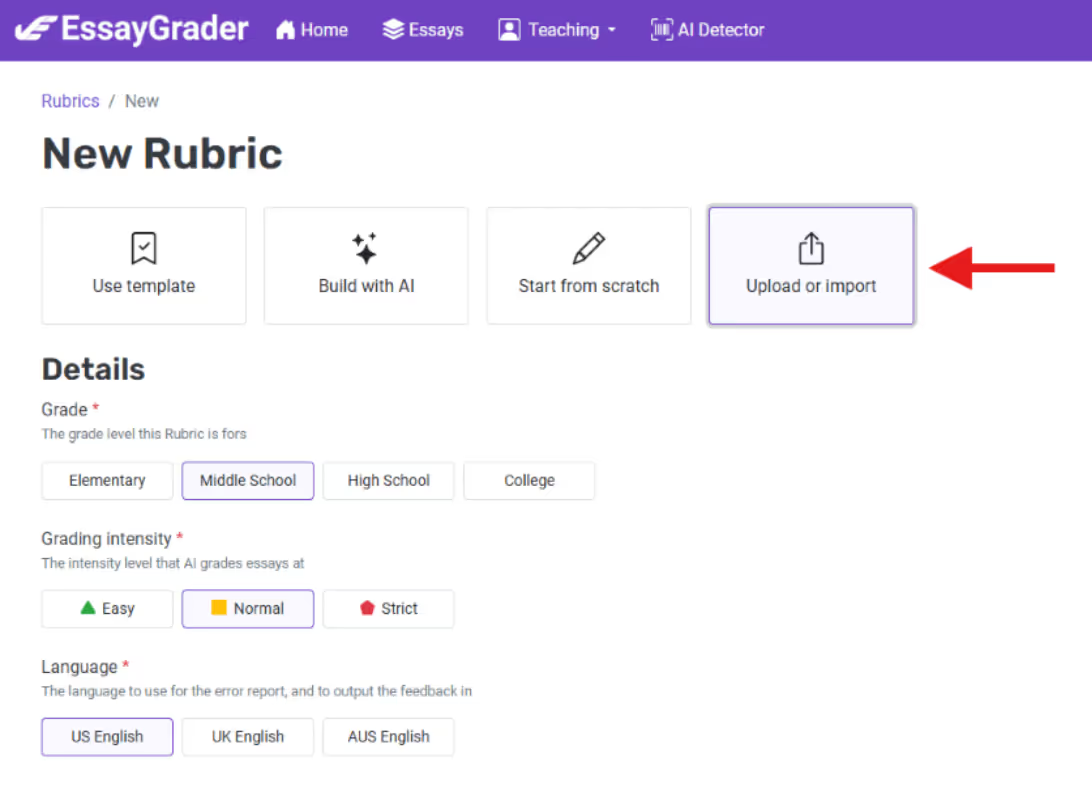
⬆️ One-Click Rubric Upload
Say goodbye to the hassle of copy-pasting or typing up rubrics—we didn’t like it either! Now, simply upload your rubric file from your computer or platforms like Google Drive, One Drive, Box or Dropbox and watch EssayGrader magically build it for you in seconds. It’s seamless, intuitive, and a major time-saver!
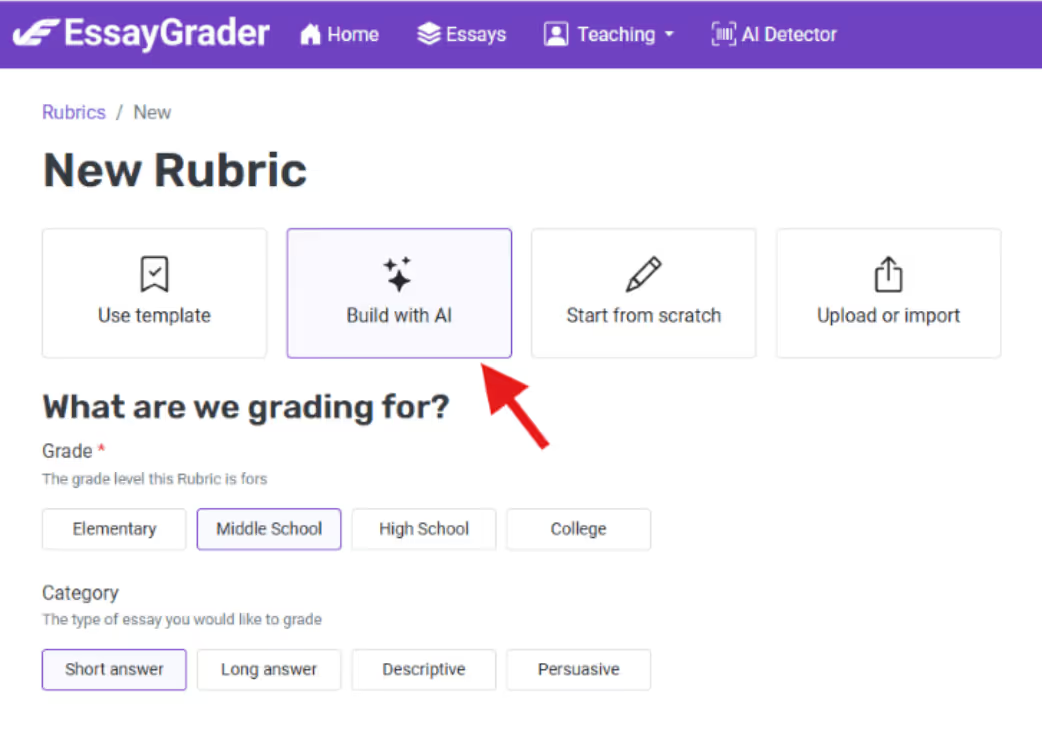
⚡️ AI-Powered Rubric Creation
Don’t have rubric? No problem! Select the grade level (e.g., middle school, high school, or college), choose the assignment type (short answers, essays, etc.), and add instructions like “History Assignment Evaluation Rubric.” EssayGrader’s AI will instantly create rubric to grade history assignments at the chosen grade level.
🤝 Share and Collaborate
We often had teachers asking us for a way to share these perfect rubrics they created with their colleagues. That had never been easier. Once the rubric is created, click "Share Rubric," copy the URL, and share it across your school or district. In seconds, your custom rubric can empower other teachers – Now, that’s collaboration made super simple!

⚙️ Enhanced Settings for Precise Feedback
Now you can customize rubrics further with additional parameters like grade level, grading intensity, and language preferences. This ensures that the resulting error and feedback reports are perfectly tailored to your students’ grade level and academic needs.

🔢 Decimal Support
We heard you! For those who need finer precision, rubrics now support decimal scoring. Every detail counts when it comes to fair and nuanced grading. Try it on your next grading assignment.
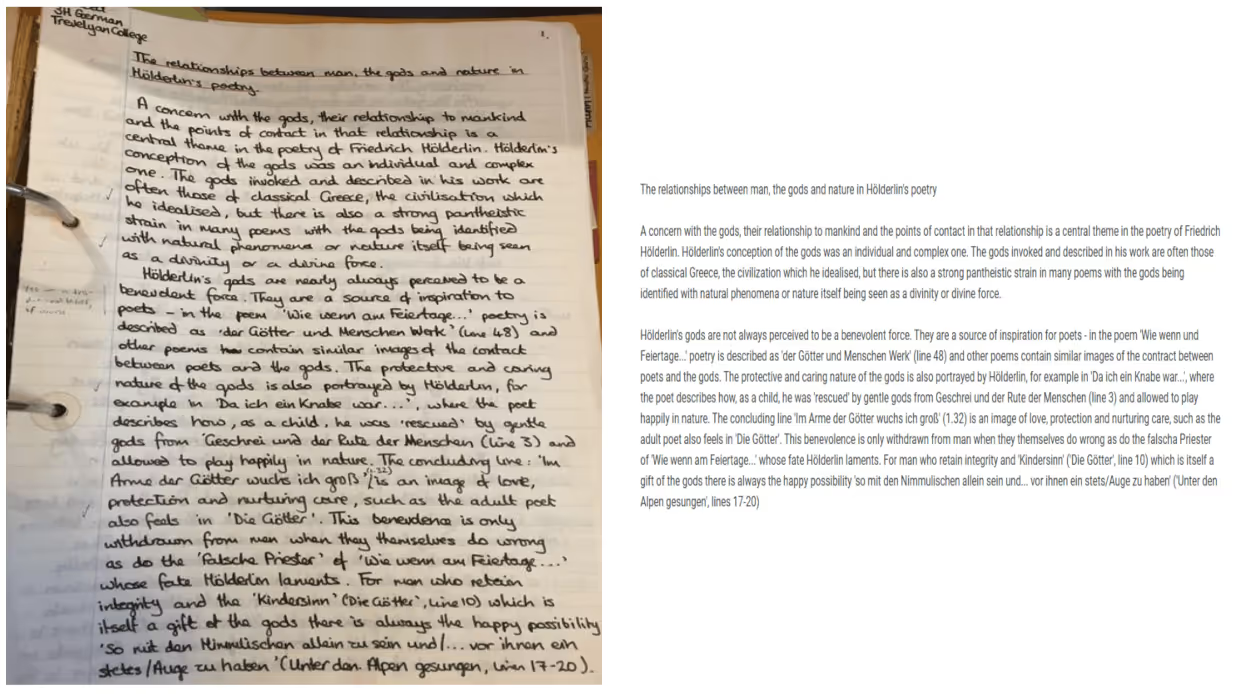
📝 Handwriting Recognition: Goodbye to Manual Grading!
One of the common requests we have received over the past few months is for teachers to be able to grade hand-written assignments using EssayGrader. Now, you can grade handwritten submissions effortlessly with EssayGrader. All you have to do is:
- Upload handwritten assignments from your favorite Cloud Storage platform like Google Drive, Box or DropBox or simply snap a photo with your phone.
- Watch the magic unfold as EssayGrader converts handwriting into typed text with near-perfect accuracy.
- Sit back while the AI grades them instantly.
No more deciphering messy handwriting or manually typing up submissions—your time is precious!
🗄️ Bulk Class Actions: Simplify Classroom Management
Efficiency is key, and these updates make it a breeze:
- Export Class Grades: Download a class’s grades as a CSV file with one click. Want to download all the written submissions into a single Zip file for record keeping purposes. No problem, just click on Export and download all the files.
- Clean Up in Seconds: Need to delete all essays for a class? Done—effortlessly.
We’ve been listening closely to what you need, and this release is all about giving you more time to focus on teaching while we handle the repetitive tasks.
These features are designed with you in mind, and we hope they bring a smile to your face—just like they did to ours after working tirelessly to bring them to life. Thank you for inspiring us every day! 😊
Ready to experience the new EssayGrader?
Log in today and take these features for a spin!






.avif)
.avif)
%201.svg)

